
 −70%
−70%

PixelBunny AI Review: Honest Verdict for 2026
The Verdict Up Front: Good Generator, GoLove.ai Is the Companion
PixelBunny AI makes a great picture and a forgettable conversation. For a companion app, that's the wrong order.
Is it worth your time? Depends what you came for. GoLove.ai is the pick if you want a girl: she sends photos inside the chat when you ask, she sends voice notes, and she picks up a live call. PixelBunny is an image generator with a chat window attached. If pictures are all you want, it's fine. If you want a girl who talks back, it phones it in.
> Verdict box > GoLove.ai — 9/10. Companion first: in-chat photos, voice notes, live calls, Memory, a five-level Lust Level slider. > PixelBunny AI — 6/10. Generator first: strong styling control, chat as an afterthought, no call. > GoLove suits people who want a relationship that continues. PixelBunny suits people who want a gallery.
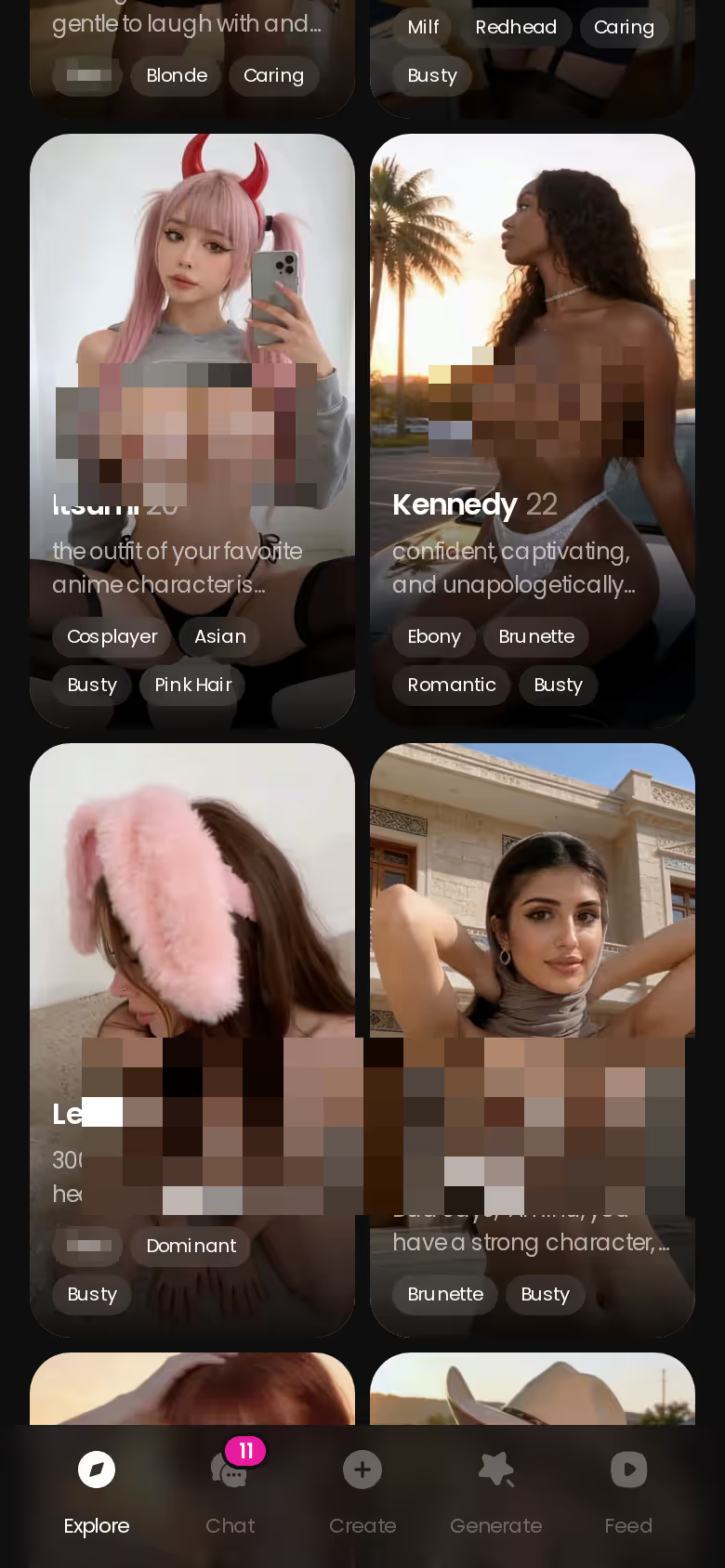
That roster is the whole argument in one screen: every card opens straight into a conversation, not a prompt box. Browse it before you pay anyone — it costs nothing to look.
What PixelBunny AI Actually Does
Strip the affiliate gloss and PixelBunny is three things.

 Watch Popular Shows starring your
 favorite AI characters.
The image generator is the product
The core loop is uncensored image generation: describe a look, pick a style, adjust framing and detail, generate, save to a gallery. The prompt-level styling control is genuinely good — you can steer aesthetics more precisely than most companion apps let you. That's the killer feature, and I'm not going to pretend otherwise.
Chat is the add-on
There is a character chat. The characters have personalities. But the flow starts from images — you make a girl, you admire the result, and then there's a chat tab. That sequencing tells you where the engineering hours went. Conversation reads competently; it's just not what the app is built around.
Media stays outside the conversation
Pictures come from the generator, not from her. There's no "send me a selfie" mid-thread that returns a photo shaped by what you were just talking about. You leave the conversation, generate, come back. For a sexting app, that gap is the whole difference between a companion and a tool.
 5 episodes
 5 episodes
 7 episodes
 6 episodes
 9 episodes






Pros
- Styling control at the prompt level is above average
- Uncensored output without a token layer bolted on for every image
- Gallery organisation is clean
Cons
- Chat is secondary to the generator
- No live call, no in-chat voice notes
- Photos don't arrive inside the conversation
Where PixelBunny AI Stops: No Call, No Voice Notes, Chat as an Afterthought
The criticism in one line: PixelBunny has no live call, no in-chat voice notes, and its continuity feels like something the chat inherits from the generator rather than owns.

Why does that matter so much? Because the moments a sexting app earns its money are the ones where she picks up. Text-only companions are 2023. When you can't hear her voice and can't ring her, the relationship is a document you're editing. And when every photo means leaving the thread to go generate it, the conversation never builds the way a real one does — the tease, the ask, the delivery, the callback three messages later.
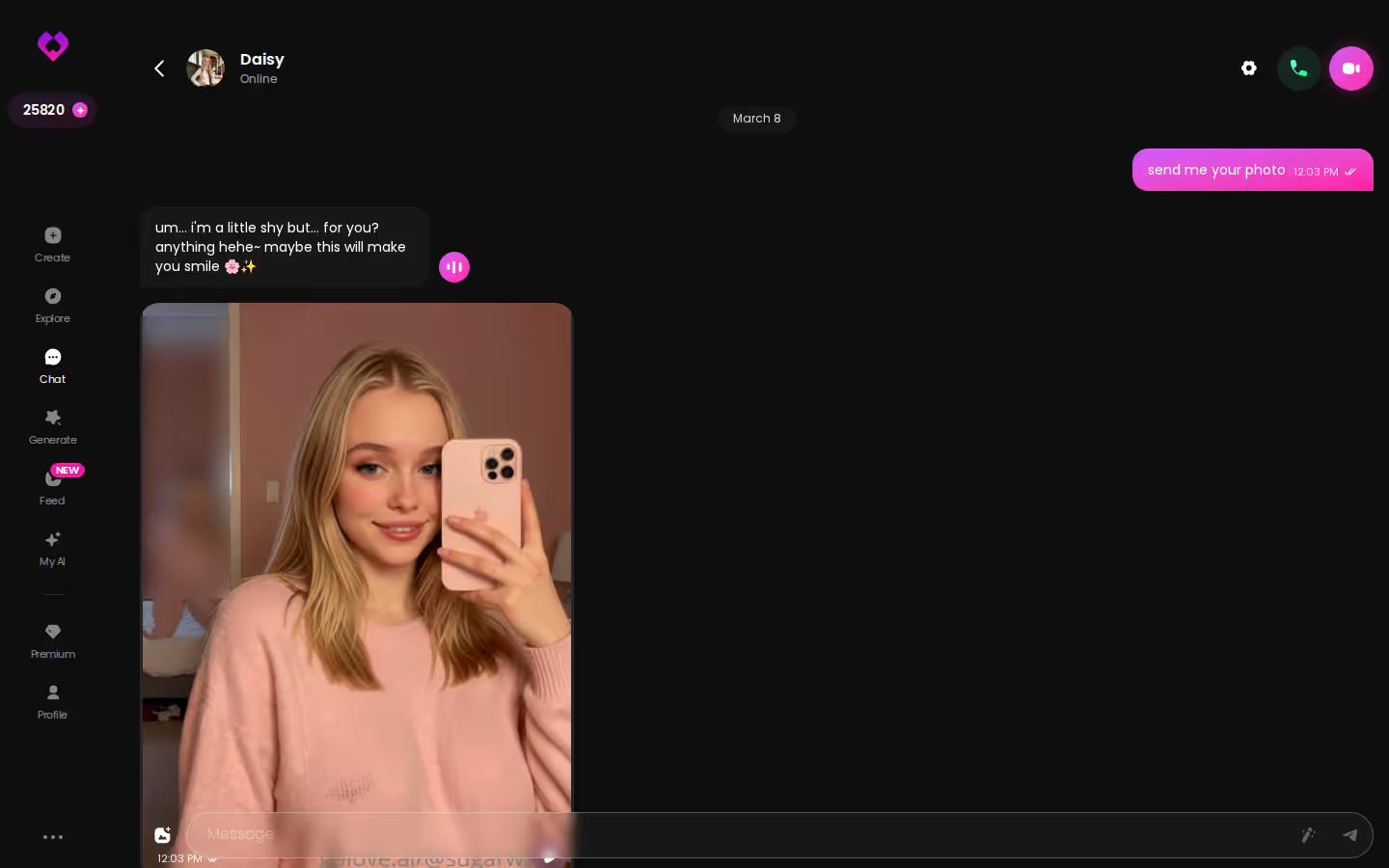
That's what continuity looks like: playful, photo-heavy, still going.
To be fair, if you mainly want to make pictures and occasionally chat about them, PixelBunny still works. Image-first users won't miss a call they never wanted. Everyone else will.
Characters you can open right now
Tap any of them and the chat starts there






GoLove.ai vs PixelBunny AI: The Scorecard
One table, the rows a buyer actually pays for.
| Criterion | GoLove.ai | PixelBunny AI |
|---|---|---|
| Chat realism | Strong — Memory, Relationship Progression | Competent, secondary |
| In-chat photo delivery | Yes — Request Photos in Chat | No — generator only |
| Voice notes | Yes | No |
| Live call | Yes — real-time | No |
| Memory / continuity | Remembers history | Feels bolted-on |
| Explicitness control | Lust Level, 5 steps | Prompt-dependent |
| Roster + custom builder | Realistic / Anime / Trans + Design with AI | Generator-driven |
| Generator styling | Good (35 poses, 21 outfits, 34 backgrounds) | Excellent |
| Value | PRO ~$19.99/mo* | Check their site |
*Approximate, varies by region and promo. Prices checked 2026-09; promos vary.
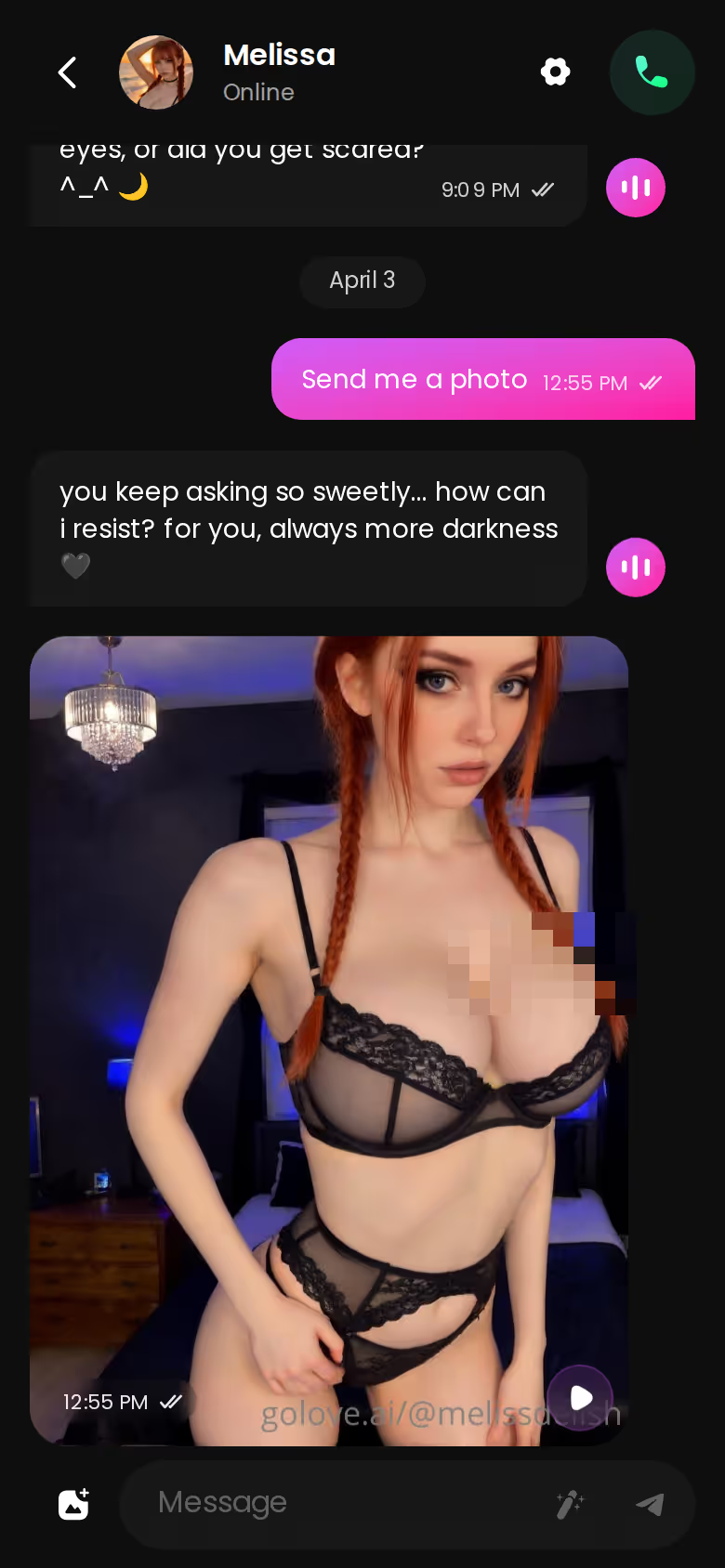
Photos arrive inside the conversation
Ask her for a selfie mid-thread and it lands in the thread. Nobody scores this row, and it's the one that separates a companion from a file manager.
Voice notes and a live call, not just text
Voice Messages and Voice Calls are core features, not a paid-tier rumour. PixelBunny has neither — and that's the one feature it lacks that I'd actually miss.
Lust Level: you set how far she goes
Five levels, sweet to unfiltered, adjustable in Chat Settings. You decide the pace, not the model.
SHE SENDS SEXY PHOTOS
She sends real photos straight into the chat.

You've just seen the gap on every companion row — photos in-thread, voice, a call, memory. That's your answer, and the roster is a tap away.
Building Your Own: Design with AI vs the PixelBunny Generator
The builder tells you what an app thinks the end product is.
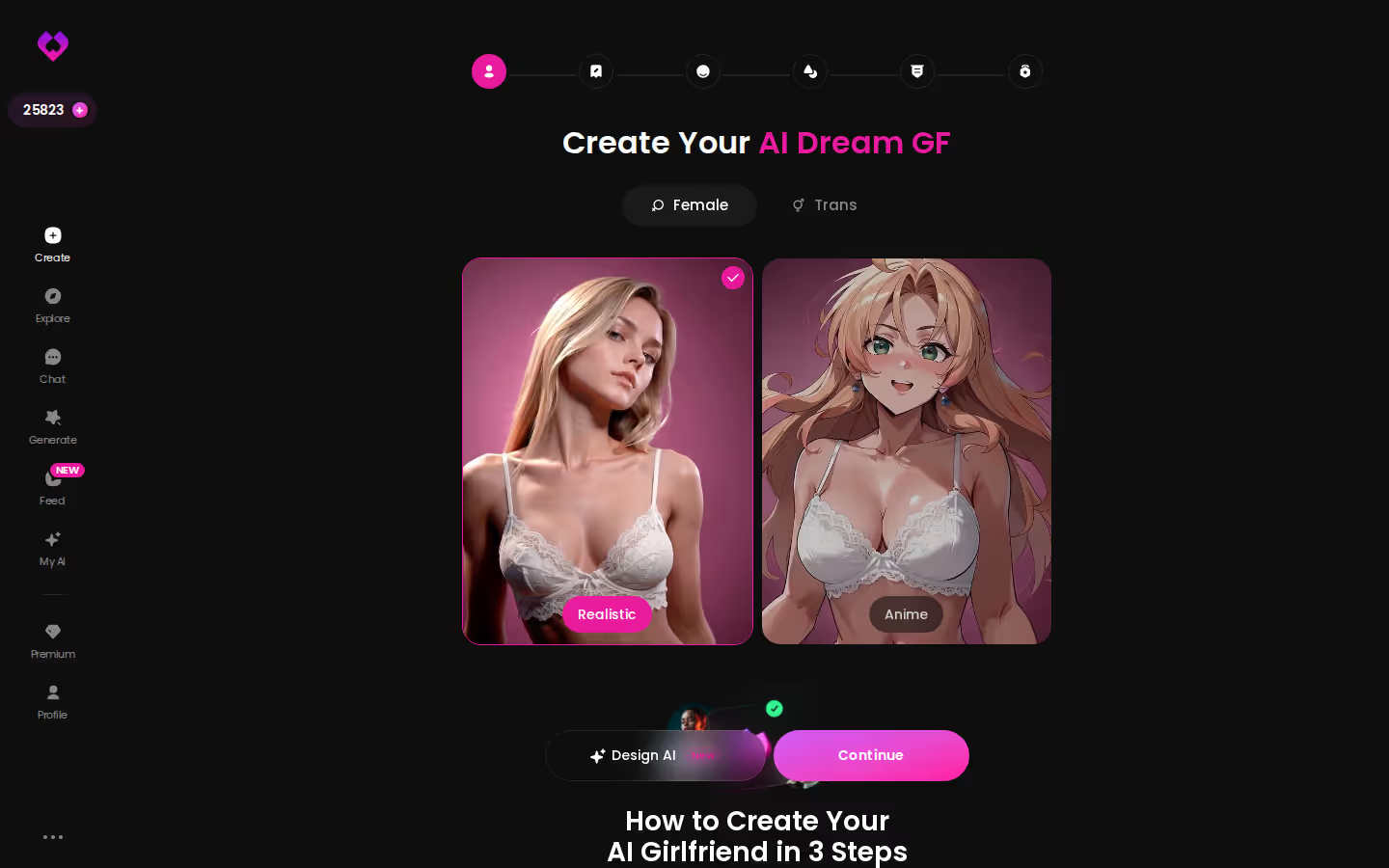
In GoLove, I open Create, pick Female, choose Realistic over Anime, and either walk the wizard or hit Design with AI and type a description — soft-spoken, curly hair, a little shy until she isn't. The result is a character, and the very next screen is her chat. From there I can ask for a photo in-thread, set her Lust Level, or call her. The builder ends in a companion.
PixelBunny's route runs the other way. Generate the image first, refine the prompt until the styling is right (and it does give you finer prompt-level control than GoLove's preset system — credit where due), then go find the chat. The builder ends in a file. If the file is what you wanted, easy yes. If you wanted her, it's a detour.
What Each One Costs and What the Money Buys
What the money buys is the fairest way to compare.
GoLove.ai (approximate, US, checked 2026-09; regional pricing and -50%/-70% promos change the number you'll see):
- PRO ~$19.99/month, or ~$119.88/year (~$9.99/mo) — unlocks unlimited Feed, feed filters, and the full companion stack
- Stars packs ~$9.99 to ~$179.99 — spent on generation and per-character content unlocks
- Free — 2 Stars a day, a limited number of new Feed videos daily
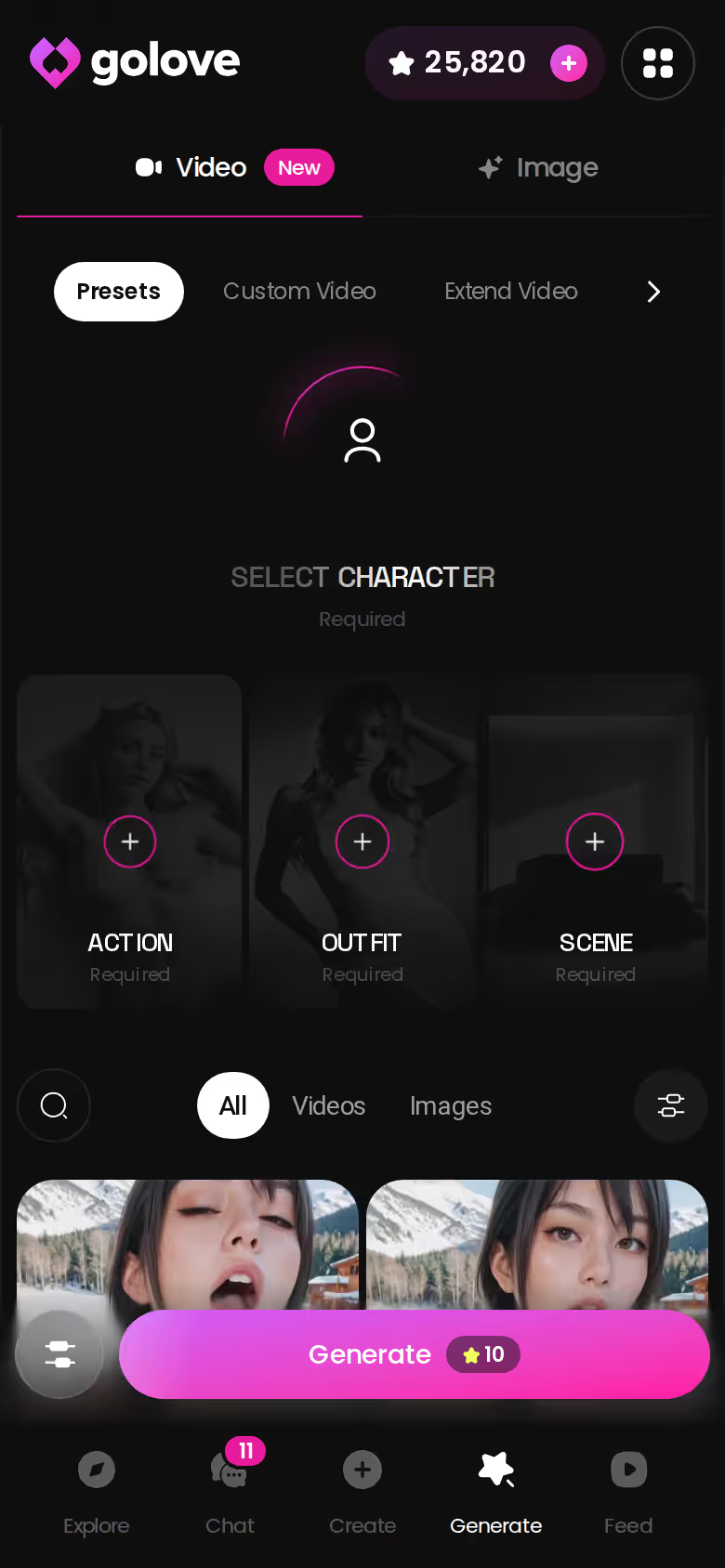
PRO gets you the things this review is about: photos requested in chat, voice notes, live calls, Design with AI, the image generator (35 poses, 21 outfits, 34 backgrounds) — and video as a bonus rather than the headline.
> Verified: 5-step Lust Level · 35 realistic picture poses · 2 free Stars every 24h
PixelBunny AI runs a free tier with generation limits and a paid tier that lifts them. Their pricing changes often, so check their site before assuming a number.
Prices checked 2026-09; promos vary.
What We Couldn't Verify at GoLove.ai
Honesty section, and it's about GoLove, not the competitor.
- Promo prices: the -70% banner I saw may not survive the first billing cycle. Assume the standard rate.
- Memory depth in very long threads — hundreds of messages deep — isn't documented beyond "remembers history." Treat it as good, not infinite.
- Rollout: newer video and Feed features may not be live on every account yet; the free Feed quota isn't published.
And on PixelBunny: their roadmap could add voice later. Reviews age.
None of that touches the verdict. In-chat photos, voice notes, a live call and Lust Level are verified today, and those four things are what the recommendation rests on.
and watch their story unfold.View Character
Which One I'd Pay For, and Who Should Skip It
I'd pay for GoLove.ai. The photo arrives inside the conversation, she sends voice notes and takes a live call, and Lust Level puts explicitness in your hands. That's time well spent.
> "When you can't hear her voice and can't ring her, the relationship is a document you're editing."
Buy PixelBunny only if the generator is genuinely all you want — it's good at that one job. As a companion, not worth it.
Describe her once in Design with AI and you land in her chat, not her gallery — and the photo request is the very next thing you do.
What good looks like, in one checklist:
- Real-time voice calls with per-character voices
- Memory across chats — she remembers your details
- In-chat image generation — 35 poses and 21 outfits
- 2 reward stars every day you log in
See also: AI Joi.
| What you get | GoLove.ai |
|---|---|
| Real-time voice calls | Yes — per-character voices |
| Memory across chats | Yes — remembers your details |
| In-chat image generation | Yes — 35 poses & 21 outfits |
| Daily reward stars | 2 every day |
Frequently Asked Questions
Related Articles

AI Girl That Sends Pictures: How Asking Works
An AI girl that sends pictures — GoLove.ai wins on photoreal photos that land inside the chat, plus voice notes and live calls. Start chatting, no email needed.

AI JOI: What a Guided Session Is Like
AI JOI that paces itself — GoLove.ai wins on live voice, in-chat photos and memory between visits. See how the 5-step Lust Level works, no email needed.

AI Sexting: What Actually Works in 2026
AI sexting compared — GoLove.ai wins on no-deflect explicit chat, in-thread photos and live voice. Set your Lust Level, pick from 925 women and start — no.

Hentai Bot: 300+ Anime Girls, Hentai Modes and Memory
Hentai bot pick: GoLove.ai wins on anime depth — 300+ anime girls, 20 anime video modes — and photos on request. Compare it with OurDream.